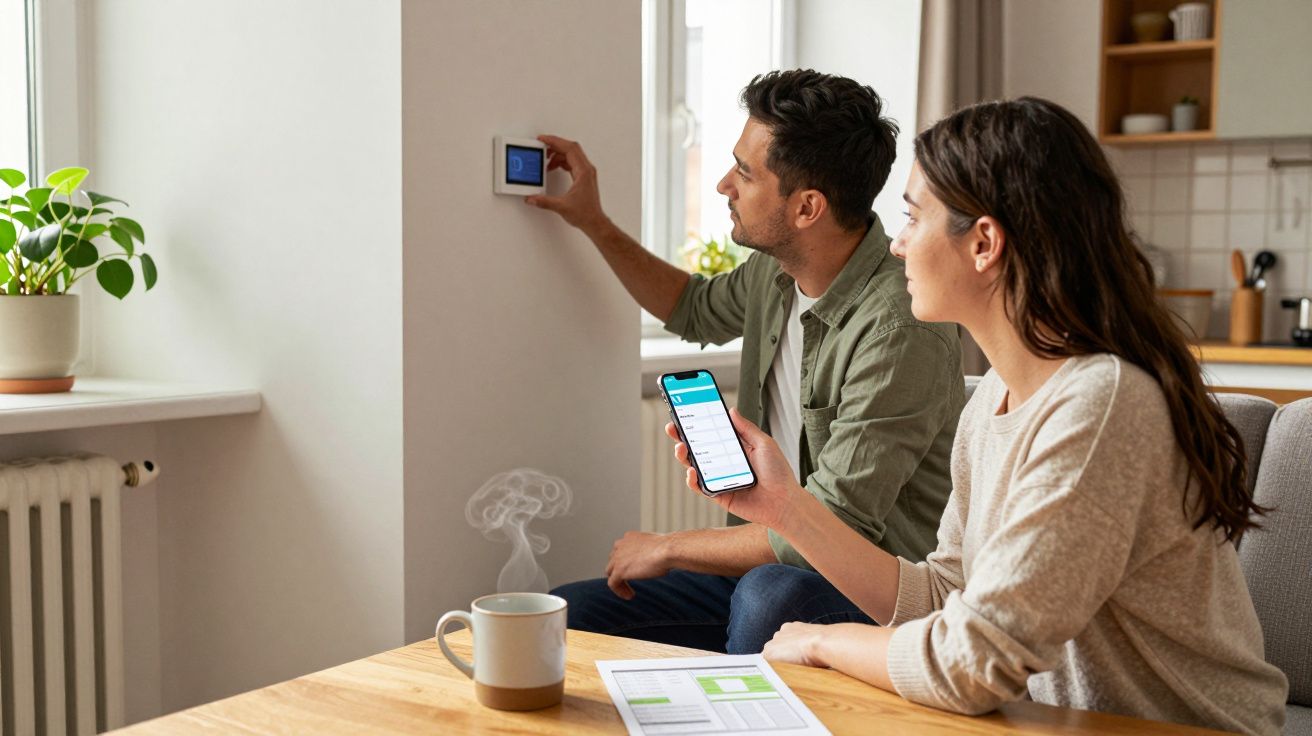
The first week after fitting smart thermostats is meant to feel like a quiet upgrade: fewer arguments about the dial, lower bills, a house that just “gets it”. Then user behaviour steps in-well-meaning, chaotic, very human-and suddenly the heating is blasting at 2am or the lounge is freezing at tea time. The kit isn’t broken. It’s usually us.
I’ve seen it in tidy new-builds and draughty terraces alike. Someone installs the thermostat, downloads the app, smiles at the graphs, and assumes the rest will sort itself out. It can, but only if you avoid the easy mistakes people make right after installation-when habits are still louder than automation.
The “set-and-forget” trap: treating it like the old dial
A smart thermostat isn’t a smarter version of manual heating if you use it manually all day. The biggest mistake is constantly nudging the temperature up and down as if it’s a volume knob, then wondering why comfort and costs wobble.
Most systems work best when they can predict patterns. If you keep overriding it-boosting at 7am, dropping at 8am, boosting again at 9am-you train it into confusion or you disable the very features you paid for. It’s like buying a sat nav and then turning left every time it says “right”.
What to do instead: pick a sensible schedule, live with it for a week, and then adjust in small steps. One degree changes more than you think, especially in a well-insulated home.
Turning on every “clever” feature at once
Geofencing, learning mode, open-window detection, weather response, optimum start, smart radiator valves, voice assistants-people switch it all on in one evening like they’re launching a space mission. When something feels off, it’s impossible to know which setting caused it.
A common scenario: geofencing drops the temperature because the last phone left the house, while optimum start fires the boiler early to “help”, and the app shows a jagged mess of on/off calls. The homeowner blames the thermostat. The thermostat is just obeying conflicting instructions.
Start with the basics:
- A schedule that matches your real week (including WFH days)
- One comfort temperature for occupied time, one setback temperature for asleep/away
- A single “away” method (either schedule-based or geofencing, not both at first)
Add features one at a time, and give each a few days before judging it.
Putting the sensor in the wrong “truth” spot
People mount or place the thermostat where it looks nice, not where it reads honestly. Hallways, sunny walls, above radiators, near the cooker, behind curtains-these are all excellent ways to make your heating chase the wrong temperature.
The result is predictable. If the thermostat sits in a warm spot, the boiler cuts out early and the living spaces feel cold. If it sits in a draughty spot, the system over-heats the house to satisfy one chilly corner. You end up “fixing” it with boosts, which starts the whole spiral again.
A quick sanity check: stand where you actually live-sofa, desk, kitchen table-and ask whether the thermostat is measuring that experience, or just the temperature of a corridor.
Expecting instant savings without changing routines
Smart thermostats don’t magically undo long showers, tumble-drying with windows open, or heating empty rooms. They’re controllers, not insulation. If your user behaviour is “heat the house to 22°C all day just in case”, the thermostat will do that brilliantly.
Savings usually come from two boring wins:
- Heating less when you’re not there (or not awake)
- Heating only the spaces you’re using, if your system supports zones
If you want the quickest impact, reduce the “always-on” hours first. Most households can shave more by tightening the schedule than by chasing a perfect temperature.
Making big temperature swings (and paying for the recovery)
Another classic mistake: letting the house drop too low, then forcing it back up fast. People assume “off all day, then crank it at 6pm” is efficient because the boiler wasn’t running earlier.
In many homes it backfires. A cold house loses heat more slowly, yes, but the recovery can be long, uncomfortable, and sometimes more expensive if you push the system hard during peak times. You also risk condensation in colder rooms if you repeatedly let them drop and rebound, especially in older properties.
A gentler approach usually feels better: use a modest setback temperature rather than letting it fall off a cliff. Aim for “slightly cooler when away”, not “stone-cold, then tropical”.
Not checking the basics: radiator balance, boiler settings, and hot water control
Smart control can’t compensate for a heating system that’s already misbehaving. If some rooms roast while others never get warm, you may have balancing issues or stuck valves. If the boiler flow temperature is set too high, you’ll get rapid cycling and uneven comfort even with perfect scheduling.
People also forget the hot water side (if it’s integrated). They set clever heating schedules and leave hot water on all day out of habit, or they disable it accidentally and blame the thermostat when the shower goes cold.
If things feel “random”, check these before you start redesigning schedules:
- Radiators: bleed if needed; make sure valves actually open/close
- Boiler: sensible flow temperature for your system (ask a heating engineer if unsure)
- Hot water: timed properly and aligned with your real routine
Sharing the app with no shared rules
One household, three phones, five opinions. Someone likes 21°C, someone else panics at 19°C, and a third keeps hitting “boost” because they can’t find the schedule screen. The heating becomes a passive-aggressive group chat.
Smart thermostats are at their best when there’s one agreed approach and everyone understands the basics: how to temporarily override, how to return to schedule, and what “away” actually means. Otherwise, you’ll spend winter arguing with an interface instead of each other.
“The thermostat can learn your home. It can’t learn your household politics.”
A quick “do this, not that” cheat sheet
- Do set a realistic weekly schedule; don’t live on manual boosts.
- Do change one setting at a time; don’t enable every automation on day one.
- Do place the sensor where you feel comfort; don’t measure a hallway and heat a lounge.
- Do use a setback temperature; don’t let the house go icy then demand instant warmth.
- Do align hot water control with your routine; don’t leave it “always on” by default.
| Mistake | What it causes | Better move |
|---|---|---|
| Constant overrides | Unstable comfort and higher run time | Adjust schedule weekly, not hourly |
| Wrong placement | Heating the wrong “reality” | Put it in a lived-in, representative spot |
| Big temperature swings | Long recovery, discomfort | Use modest setbacks, keep it steady |
FAQ:
- Do smart thermostats actually save money? They can, but mostly when user behaviour changes too-shorter heating hours, sensible setbacks, and fewer manual overrides.
- Should I use “learning mode”? Often yes, but start simple first. Let it run for a week with minimal interference so it has clean data to learn from.
- Why does it heat when I think it shouldn’t? Optimum start, weather response, or hot water settings can make it run earlier than expected. Check which features are enabled before assuming it’s faulty.
- What’s a good setback temperature? It depends on your home, but the goal is “cooler, not cold”. If recovery takes ages or rooms feel damp, your setback is probably too low.
- If rooms heat unevenly, is that the thermostat’s fault? Not usually. Look at radiator balancing, valve issues, insulation, and boiler settings first.


Comments (0)
No comments yet. Be the first to comment!
Leave a Comment